
Wispr Flow Alternatives (2026): Pick One by the Reason You're Leaving
People do not search for a Wispr Flow alternative in the abstract. They search after something specific went wrong: the renewal notice, a compliance conversation at work, a new Linux laptop, a phone that the app treats as a second-class citizen. So the eleven replacements below are sorted by the reason, not by rank, and every price on them was read off the vendor's own pricing page on 27 August 2026.
On a Mac where the audio must stay on the machine, VoiceInk is the closest one-to-one replacement and costs $29 once instead of $144 a year. If you need Linux, or you want one licence covering Windows, macOS and Linux together, Voicy is effectively the only mature option.
If you want to spend nothing, Superwhisper's free tier on Apple Silicon and the open-source Handy are both genuinely usable, and on Android the built-in Gboard voice typing already does most of the job.
And if you are on Android, read the last section before you switch: the app is a floating bubble over your existing keyboard rather than a keyboard of its own, and that is usually the thing people actually want to change.
Why people leave Wispr Flow
Four reasons come up again and again, and each one points at a different replacement.
The subscription. Pro is $15 a month, or $12 a month if you pay for the year, which works out to $144 annually. The free tier stops at 2,000 words a week on desktop and 1,000 words a week on iPhone. Ordinary speech runs at 130 to 150 words a minute, so 2,000 words is about a quarter of an hour of talking spread across a whole week. Anyone using voice as their main input method hits that wall on day one.
Everything goes to the cloud. That is by design, and the vendor says so plainly: "Transcription always happens in the cloud to provide the best speed and accuracy." There is no on-device mode at any price tier. The security FAQ adds two details worth knowing precisely, because a lot of blog posts get them wrong. Reading the text of your active window through the accessibility layer is on by default. Screen OCR, which takes an actual screenshot to pull proper nouns out of it, is off by default and has to be switched on by you. Privacy Mode with zero data retention is the default only for enterprise and HIPAA accounts, not for an ordinary paid seat. A Hacker News post in spring 2026 accused the app of tracking every app and URL and taking screenshots; it got almost no traction there (five points, one comment) but it seeded a whole genre of competitor blog posts. The accurate version is narrower than the headline and still enough to disqualify the app in a lot of workplaces.
Platforms it does not have. The official system requirements list is blunt about this. Supported: macOS 12 or later, Windows 10 and 11, iPhone on iOS 18.3 or later, Android 13 through 16. Not supported: iPad, Linux, Chromebooks, virtual machines and remote desktop sessions, Windows on ARM. A Linux Mint forum thread from February 2026 shows what that looks like in practice. A daily Wispr Flow user on Windows asked for a native Linux equivalent, got no working answer from the thread, and eventually found a credit-limited tool on his own.
Weight and stability on Windows. Public reviews are mostly positive (Product Hunt sits at 4.7 across 76 reviews) but the negative ones cluster tightly. A reviewer around February 2026 described five failed installs, roughly 800 MB of RAM and repeated crashes on Windows. As recently as mid-August 2026 someone still called it "a little heavy on system resources when running in the background all day", while otherwise recommending it. If your machine is modest, that matters more than any feature list. The full picture, including what the app does well, is in our Wispr Flow review.
The field at a glance
| Product | Best for | Price (27 Aug 2026) | Platforms | Offline? |
|---|---|---|---|---|
| Wispr Flow (for reference) | Polished cloud dictation with no setup | Free tier 2,000 words/week; $15/mo, $12/mo annual | macOS, Windows, iPhone, Android | No |
| VoiceInk | Mac users whose audio must never leave the machine | $29 / $49 / $69 once (1, 2 or 3 Macs) | macOS 14.4+, Apple Silicon only | Yes, fully |
| Voicy | Linux, and one licence across every desktop | $8.49/mo, $82/yr, $260 lifetime | Windows, macOS, Linux, iOS, Android, Chrome | No |
| Superwhisper | Starting free on Apple Silicon, or buying once | Free tier; $8.49/mo, $84.99/yr, $249.99 lifetime | macOS, Windows, iOS | Yes, local models |
| Handy | Spending nothing and keeping the code auditable | Free, MIT licence | macOS, Windows, Linux | Yes, fully |
| Willow Voice | Cloud accuracy with an offline switch when needed | Free tier; $15/mo, $12/mo annual | macOS, Windows, iOS (Android announced) | Optional offline mode |
| Aqua Voice | The cheapest paid cloud subscription | Free 1,000 words; $10/mo, $8/mo annual | macOS, Windows, iOS | No |
| MacWhisper | Transcribing recordings rather than dictating | Free version; Pro €64 once | macOS | Yes |
| Apple Dictation | The free tool already on your Mac or iPhone | Free, built in | macOS, iOS | Yes, on device |
| Windows voice typing | The free tool already on your PC | Free, built in | Windows 10, 11 | No, needs internet |
| Gboard voice typing | Free dictation on any Android phone | Free, built in | Android | Yes, with a downloaded language pack |
| FUTO Voice Input | Offline voice input on Android with no account | Free, optional one-off payment | Android | Yes, fully |
If the subscription is what bothers you
Start by asking whether you need to pay at all.
On a Mac, Superwhisper's free tier is unusually generous for this category: voice to text in any app, meeting recording, 100-plus languages, and unlimited use of the small local Whisper models on Apple Silicon. You pay only if you want cloud models, your own API keys, translation, or file transcription. Plenty of people never do. Handy costs nothing on any of the three desktops, forever, because it is an MIT-licensed project rather than a business.
If you do want a polished paid app but hate renewals, the arithmetic is short. Against Wispr Flow's $144 a year, a VoiceInk Solo licence at $29 pays for itself in about two and a half months and then costs nothing. Superwhisper's $249.99 lifetime licence breaks even at roughly twenty-one months, Voicy's $260 lifetime at about twenty-two. Anything you expect to use for two years or more is cheaper bought outright. We put the lifetime licence and the subscription side by side in Superwhisper vs Wispr Flow.
And if you want to stay on a subscription but pay less, Aqua Voice is the cheapest credible one at $8 a month on the annual plan, with a 1,000-word free tier to try it. It is cloud-only, so it solves your billing problem and none of your privacy problem.
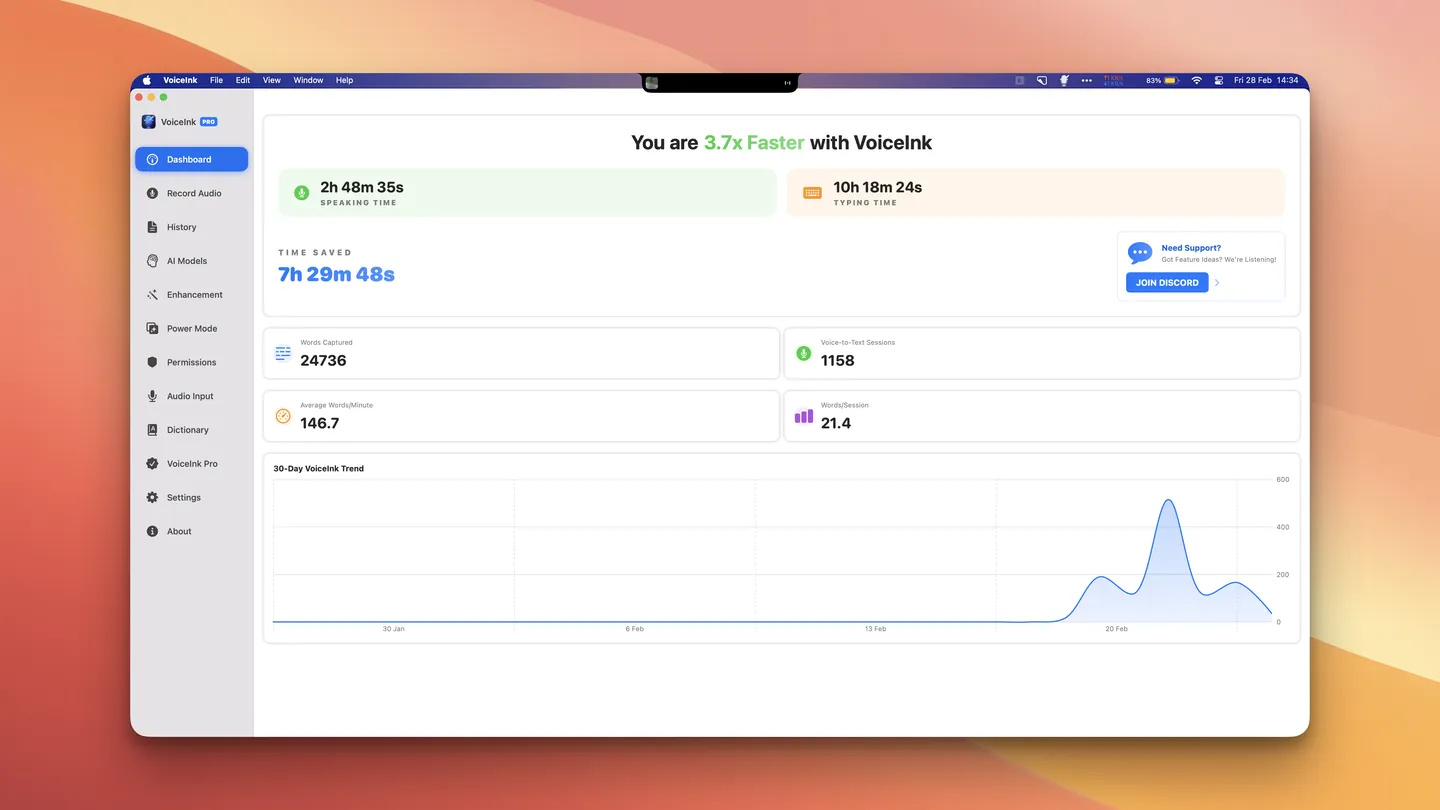
VoiceInk deserves the extra paragraph here, because it is the position that changes the shape of the bill rather than the size of it. It runs Whisper and Parakeet models on the Mac's Neural Engine, so there is no per-word ceiling, no renewal date and no network dependency. You buy it once ($29 for one Mac, $49 for two, $69 for three), you get lifetime updates and a 14-day refund window, and the thing keeps working on a plane, in a basement office or on a locked-down corporate network. The one hard requirement is Apple Silicon on macOS 14.4 or later. Intel Macs are out. What $29 buys, and the two open bugs worth testing inside the refund window, are in our VoiceInk review.
If the cloud is what bothers you
Here is the correction that no vendor listicle will give you, because it costs them a sale: switching to a free built-in tool does not automatically make you private.
Windows voice typing, the Win+H panel, runs on Azure Speech services and, in Microsoft's own words, requires an internet connection. It is free, it is convenient, and your audio still goes to a data centre. On Copilot+ PCs there is a newer "fluid dictation" layer that cleans up grammar and filler words as you speak, which is a real quality upgrade, but it does not change where the recognition happens.
Apple Dictation is the opposite case and is badly underrated. It is free, it has no length limit (it simply stops after thirty seconds of silence), it inserts commas, periods and question marks by itself in supported languages, and for general text you can confirm in Keyboard settings that voice input and transcripts are processed on the device rather than sent to Siri servers. What you give up is the AI cleanup layer: Apple transcribes what you said, it does not restructure a rambling sentence into a tidy one. For notes, messages and search boxes that is fine. For long-form email in a second language it is noticeably weaker than the paid tools.
The genuinely local paid options are VoiceInk on Mac, Superwhisper's local models on Apple Silicon, and MacWhisper. Handy is the free one and it is not a compromise pick: MIT licensed, 30,000-plus stars, running Whisper Small through Large plus Parakeet V3 with automatic language detection, on macOS, Windows and Linux. The trade-off is honest and worth stating. Local models are slower to start (they load into memory), they benefit from a decent GPU or Neural Engine, and support means a GitHub issue tracker rather than a help desk.
Willow Voice sits between the two worlds. It is a cloud tool by default, with a free tier limited to a weaker model, $15 a month for the good one, and an offline mode that runs locally on Mac and iOS when you need it. That is a reasonable answer for someone who wants cloud accuracy most days and a hard privacy switch for the occasional sensitive document.
If you need Linux
Wispr Flow does not have a Linux build and has not signalled one. There is an unofficial community project that repackages the Windows installer into .deb, .rpm and AppImage form, and we would not recommend running a proprietary dictation client that way: you inherit all of the cloud behaviour with none of the vendor's support.
Two real answers exist.
Voicy is the commercial one, and on Linux it barely has competitors. It ships DEB, RPM and AppImage packages covering Ubuntu, Debian, Fedora and Arch, dictates into any field including terminals and IDEs, and the same licence also covers Windows, macOS, iOS, Android and a Chrome extension. That last part is the actual argument: if you move between a work PC and a personal Linux box, you are buying one thing instead of two. It is $8.49 a month, $82 a year or $260 once, with 30 minutes of free recording to test it without a card. Be clear-eyed about what it is not: Voicy transcribes in the cloud, so it fixes your platform problem and leaves your privacy problem exactly where it was.
Handy is the free one, it runs locally, and for a Linux user who is comfortable picking a model size it may simply be the better tool. No account, no network, no billing.
If you're on Android
Check what is actually bothering you before you switch. On Android the complaint is usually the shape of the app: it is not a keyboard but a floating bubble that sits on top of your existing one, and it needs an internet connection to transcribe anything.
If the bubble is the problem, Gboard's own voice typing is already installed on your phone and behaves like part of the keyboard. Turn on offline speech recognition in the voice typing settings and download a language pack, and it keeps working with no connection and no audio leaving the device.
If you want that plus a keyboard built around privacy, FUTO Keyboard and FUTO Voice Input run fully offline, take no account, and are funded by an optional one-off payment instead of a subscription. They are available through Google Play, F-Droid and GitHub. The project is candid that it is still filling in features and languages, so try it before you commit your daily typing to it.
Voicy also has an Android app if you want the same tool on your phone and your desktop, though on the phone specifically the built-in options are hard to beat on price.
If you want open source
Three of the positions above are open source, and the differences between them matter.
Handy (MIT) is the most complete free option and the one to try first on Windows or Linux. VoiceInk is GPL-3.0 and built in public, which means you can audit it or compile it yourself for nothing; the $29 licence buys the signed build, automatic updates and support, and funds the project. FUTO's keyboard and voice input are source-available on Android.
Beyond those, three names come up constantly and are worth knowing: OpenWhispr (MIT, covers macOS, Windows, Linux and iOS, free locally with an $8 a month cloud tier), Whispering, and Buzz for batch file transcription. All of them are indie projects. Treat the risk of abandonment as real and prefer the ones with an active commit history.
The competition
Products that show up in other Wispr Flow lists and did not make ours, with the reason.
Otter.ai, Notta, Krisp, Rev. Meeting transcription and note-taking, not dictation. They record a conversation and give you a transcript afterwards. They do not put words into the text field you have your cursor in, which is the entire point of Wispr Flow.
ClickUp and helpdesk automation tools. These appear at the top of at least one popular list because the list is published by a company that sells them. A project management app with a voice feature is not a replacement for a dictation client.
Dragon Professional. Still the accuracy benchmark in specialist medical and legal work, still around $600 to $700, still Windows-centric, and Nuance has been steadily winding down the consumer line. If you inherited a licence, keep it. Nobody should be buying into it fresh to replace a $12 a month app.
Google Docs voice typing. Free and decent, but it only works inside Google Docs in Chrome. Wispr Flow's value is that it works in every window.
LumeVoice, Voibe, Spokenly, Snaply, SpeakoFlow, Oravo, Yaps and the rest of the 2026 crop. A dozen new dictation apps launched into this niche in the past year, and each one publishes a "best Wispr Flow alternatives" article with itself in first place. Several look promising. We have left them out because their claims (latency figures, word error rates, "we tested 20 runs") come from the vendors themselves with no data anyone can check, and because a tool with no track record is a bad recommendation for something you will use every day. Ask us again in six months.
The unofficial Wispr Flow Linux port. Covered above. Clever work, wrong idea.
When staying with Wispr Flow is the right call
Three situations, stated plainly because pretending otherwise would make this list less useful.
You are on Android and dictating into ordinary apps: that is the case the app handles well, once you are used to a floating bubble rather than a keyboard.
You write in several languages in the same day and lean on the cleanup layer that turns spoken rambling into a finished paragraph. Local Whisper models transcribe well; they do not rewrite. That gap is the clearest thing paid cloud dictation still buys you.
Your work is not sensitive, you are on a recent Mac or PC, and setup time is worth more to you than $144 a year. Then the honest answer is that the thing already works. If you are only after a lower bill, the annual plan is 20 percent off the monthly rate, students and teachers get 50 percent off, and there is a separate rupee price on the India page. Details in our Wispr Flow review, or go straight to Wispr Flow.
How this list was put together
Every price, platform list and offline claim on this page was read on 27 August 2026 from the vendor's own pricing or documentation page, not from other comparison articles. Where the two disagreed, we took the vendor. Claims about Wispr Flow's data handling come from its published privacy page and security FAQ; user complaints are quoted from dated public reviews and forum threads, with the dates given so you can judge how stale they are.
We have not run a bake-off, and this page makes no accuracy or latency measurements of its own. Where speed or accuracy is mentioned, it is the vendor's claim and is labelled as such. Products we could not verify to that standard are listed in The competition with the reason, rather than quietly dropped.
What to do next
Name the reason you are leaving, then take the one line that matches it. Audio that must not leave the machine, on Apple Silicon: VoiceInk, $29 once. Linux, or one licence for every desktop you use: Voicy, with 30 free minutes to test it. Nothing to spend: Superwhisper's free tier on a Mac, Handy anywhere else, Gboard on Android.
If you are not sure the problem is Wispr Flow at all, spend ten minutes on the free built-in tool you already have before you install anything: Apple Dictation on a Mac, Win+H on a PC. The wider comparisons are here: best dictation apps for Mac and best dictation apps for Windows.
Comments
No comments yet. Ask a question or share what worked for you.