
Claude Voice Mode: Choose a Conversation or a Written Prompt
Your question is clear in your head, but typing it will take a while. You tap Claude’s microphone, expecting a spoken answer, and get a written prompt instead. Here’s how to get the result you wanted.


Choose a voice option for your device.
Want Claude to talk back, or turn your voice into text?
Two buttons sit beside the prompt field. Each starts something different.

Choose what you want to do next:
How do you start a voice conversation on your device?
Voice mode lets you speak a question and hear Claude’s answer. It works on mobile, desktop, and the web, including the free plan. Your usual Claude usage limits apply.
Open Claude where you want to talk:
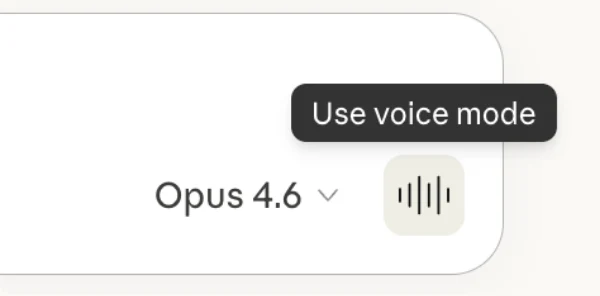
- Mobile: open the Claude app and tap the sound wave beside the prompt field.
- Desktop: open the Claude desktop app and click the sound wave beside the prompt field.
- Web: open Claude in your browser and click the sound wave beside the prompt field.
Allow microphone access when asked. Say a short question and listen for the reply.
Getting cut off? If Claude interrupts, start speaking again. Claude will stop and listen.
For the conversation language, go to Settings > General > Voice > Language. This setting is separate from Claude’s interface language.
Try asking one question out loud. If you’d rather check your wording before Claude answers, start with a written prompt below.
Want to check your prompt before sending it?
A written prompt lets you decide when Claude gets your question. Choose the input that gives you the control you need.
To speak a prompt in mobile Claude:
- Tap Claude’s microphone and say your request.
- Tap the arrow to send it, or X to cancel.
To see and edit a draft before sending:
- Put the cursor in Claude’s prompt field.
- Start your device’s built-in dictation. On a phone, use the keyboard’s microphone.
- Read the text, change any words, then send it yourself.
For dictation with Claude’s microphone, tap your initials in the upper right corner of the Claude mobile app. Select Speech Input Language, then choose your language. English is supported. This is separate from the voice conversation language.
If your microphone stays silent, follow the checks below. If it hears you but longer prompts feel awkward, jump to Use your voice wherever you type.
Why isn’t Claude hearing your microphone?
Start with the route you’re using. A website can have microphone permission while your operating system still blocks the browser.
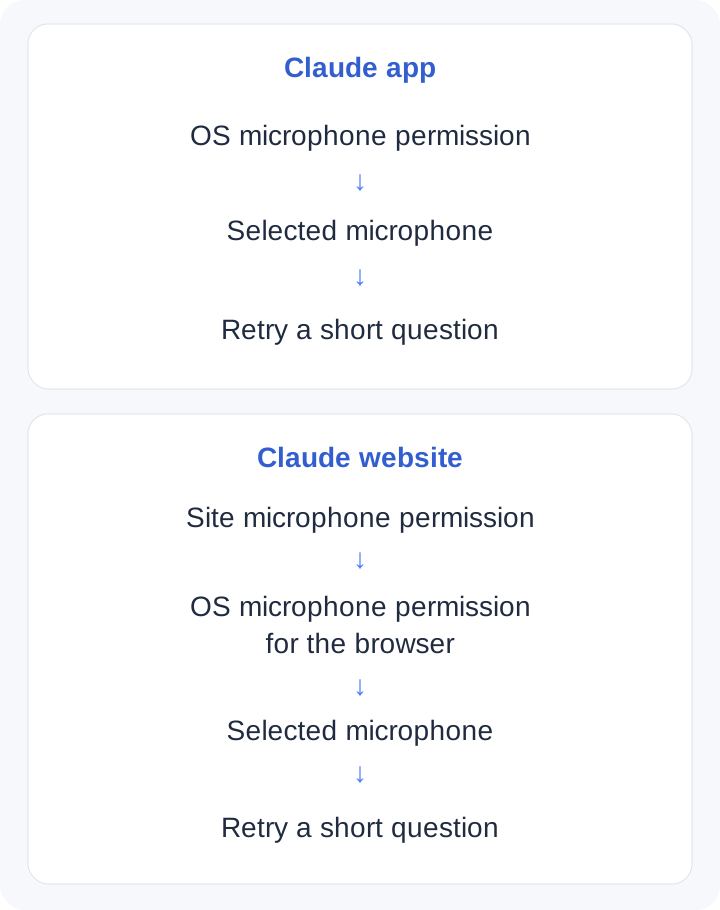
Follow your route in the diagram. Once permissions are set, check the selected microphone and try a short question again.
Still no response? Check Claude’s current service status for a service problem.
Using a terminal or the /voice command? That’s Claude Code, where voice becomes a text prompt. Follow Fix voice input in Claude Code for that setup.
Want your whole thought ready wherever you type?
Built-in dictation gets your words into Claude. Now picture a longer request, with several points you want to explain. You want to see that thought laid out, then keep writing the same way in your next app.
Wispr Flow enters dictated text in Claude on Mac and Windows. Aqua enters text in apps on your phone. Watch a spoken thought become a written draft.
On Android, Aqua’s floating button works alongside your usual keyboard. It supports Android 10 and later, except Android Go.
These tools write your prompt. When you want Claude to answer out loud, start a conversation with Claude’s sound wave button.
Which voice option should you download?
For a spoken conversation, return to Claude’s voice controls. For text you can use across apps, choose your device below. Say your thought, see the draft, make your changes, and send it when you’re ready.
| What you want | Your device | Next step |
|---|---|---|
| Talk and hear Claude reply | Any device supported by Claude voice mode | Start a voice conversation |
| Dictate text across apps | Mac or Windows | Dictate into Claude and your other desktop apps. Download Wispr Flow |
| Dictate text across apps | iPhone | Speak your next message into an iPhone app. Download Aqua Voice |
| Dictate text across apps | Android | Keep your keyboard and add voice input. Download Aqua Voice |
| Talk or dictate a written prompt | Linux | Talk in your browser or Use built-in dictation |
Comments
No comments yet. Ask a question or share what worked for you.